Platform

The technology behind the experience.

Our experiences draw on one set of systems: story intelligence, real-time worlds, spatial orchestration, and AI agents. Start with one scene, then see the parts behind it and the projects that use them.

One scene

Imagine an observatory that remembers you.

A visitor steps into a room inspired by an ancient observatory. Four parts of the architecture could bring the scene to life.

  1. Worlds & Characters

    A guide from another century

    A projected astronomer answers a question, drawing on the history and mythology of the night sky.

  2. Interactive Experiences

    A different sky

    The visitor selects a constellation; the interactive world shifts to follow that choice.

  3. Spatial Orchestration

    The room joins in

    A shared cue could change the projection, audio, and a robot guide together.

  4. Agents & Operations

    An operator stays in control

    A staff member can check the session and intervene when the experience needs it.

This is an architectural illustration, not a filmed installation. It shows how the parts are designed to work together; projects use only what they need.

The platform

Four parts of the platform

Farwhen is the working name for a modular architecture connecting story intelligence, real-time worlds, AI agents, and physical environments.

We reuse these components across projects. Open-source modules can also be adopted individually.

Under every group

Synthetic data, simulation, digital humans, and development tooling support the groups above rather than belonging to one of them.

  • Synthetic data
  • Simulation
  • Digital humans
  • Development tooling

Reusable infrastructure for intelligent, interactive experiences across screens, headsets, and physical spaces.

Behind the platform

Technical architecture

For developers: the architecture map, reusable libraries, APIs, project integrations, and open-source references.

Explore the system map, source code, and technical details

Architecture

System map

The map shows how our systems are designed to connect. Each project uses the parts it needs. DASP is our open protocol for connecting story software, game engines, and devices. Agent Forge connects applications to AI agents. Select a system to see its role and connections.

Dream Awake Labs system mapSix layers from applications down to venue devices, with the systems in each and the connections the architecture draws between them.Agent-native web appsAgent CityAtlasSpatial OSStory EngineAgent ForgeDASPXR foundationSpatial UnrealGameplay FrameworkSpatial VenueVenue devicesDream Awake Labs system mapSix layers from applications down to venue devices, with the systems in each and the connections the architecture draws between them.Agent-native web appsAgent CityAtlasSpatial OSStory EngineAgent ForgeDASPXR foundationSpatial UnrealGameplay FrameworkSpatial VenueVenue devices

Each box is a system of ours. Lines show how the systems are designed to connect.

Systems and connections in the map

  • Applications: What people use: web apps, dashboards, games, and headset experiences.
    • Agent-native web apps: Web apps whose real actions are open to AI agents as typed tools, so an agent can help a visitor without scraping the page.
    • Agent City: A live 3D city that shows what your AI agents are doing, including each step that is waiting for a person to approve it.
  • Agent OS: Agents that do the work, with policy checks, human approval, and an audit trail.
    • Atlas: Our own operations agents: they turn meeting notes and chat threads into decisions and tasks, and wait for a person before anything is sent outside.
    • Spatial OS: A hub that connects story and AI services, game engines, and room devices into one experience through DASP.
  • Intelligence: Models and services for language, media, story, and characters.
    • Story Engine: Our story and world intelligence: it understands film and video, models stories and characters as a graph, and runs narrative agents over that graph.
  • Capabilities: Typed contracts that tell agents and systems what each part can do.
    • Agent Forge (Open source): An open-source library that lets a web app offer its real actions to AI agents as safe, typed tools, with consequential actions flagged.
    • DASP (Open source): An open protocol that lets the parts of an experience (engines, headsets, story and AI services, show systems) tell each other what happened and what should happen next.
  • Spatial runtime: Real-time software that runs shared experiences in a room.
    • XR foundation: Our Unity starting point for mixed-reality apps that run on Meta Quest 3 and Android XR headsets from one codebase.
    • Spatial Unreal (Open source): An open-source Unreal Engine plugin for Unreal games and installations that take part in DASP experiences.
    • GameplayFramework (Open source): An open-source Unreal Engine plugin that gives a game a ready-made, multiplayer-safe base: abilities, inventory, equipment, AI enemies, saving, quests, and seeded procedural levels.
    • Spatial Venue: A venue runtime that keeps the headsets in one room in a single shared session and gives floor staff a live status page and a command-line control tool.
  • Venue systems: The hardware in the room: headsets, and the lighting, audio, displays, and robots DASP can address.
    • Venue devices: The hardware in the room, discovered and monitored by Spatial Venue: XR headsets, with lighting, audio, displays, and robots addressed as DASP device nodes.

Connections

  • External agents to Agent Forge: Browser agents call typed tools. WebMCP, in browser.
  • Agent Forge to Agent-native web apps: Each page registers its tools. WebMCP, in browser.
  • Agent Forge to Agent City: Demo tools, and execution events that feed the city. WebMCP, in browser; in-process events.
  • Agent-native web apps to Hosted models: Inquiries are screened by a hosted model. HTTP through AI Gateway.
  • Games and headset apps to Spatial Venue: Headset apps join sessions that staff run from the control tool. UDP game plane, 30 Hz.
  • External agents to Spatial Venue: Agents run the venue command-line tool. CLI with JSON output.
  • DASP to Spatial Venue: 22 venue capabilities, events, and state. DASP over WebSocket.
  • Spatial Venue to Venue devices: Headset discovery and telemetry. UDP broadcast and mDNS.
  • GameplayFramework to Games and headset apps: Base for Unreal games. In-engine plugin.
  • Agent Forge to DASP: DASP adapter. DASP over WebSocket.
  • Atlas to Agent City: Feed of Atlas work. Signed HTTP events.
  • Agent-native web apps to Agent City: Business events from the Rectangle site. Signed HTTP events.
  • Spatial Venue to Agent City: Venue feed. DASP events over HTTP.
  • Spatial OS to DASP: Routes messages between DASP nodes. DASP over WebSocket.
  • Story Engine to Spatial OS: Narrative provider adapter. Provider API to DASP.
  • Spatial Unreal to DASP: Unreal DASP client. DASP over WebSocket.
  • GameplayFramework to Spatial Unreal: Optional DASP adapter. In-engine plugin.
  • XR foundation to DASP: Unity DASP node package. DASP over WebSocket.
  • DASP to Venue devices: Lighting, audio, displays, and robots as device nodes. DASP over WebSocket.

By project

Explore the systems by project

Choose a project to see which systems it uses and what each one contributes. The filters narrow the view to a type of work.

Stories, characters, and games that respond to the people playing them, in a headset or in a room: a story engine decides what happens, a protocol carries it, and a venue runtime keeps every headset in one session.

Projects

Select a project or a system. Every box in the map is also a button.

Interactive experiences: systems and connectionsThe systems in this view, grouped by layer, with the connections between them. When a project is selected, the systems it uses are outlined.Spatial OSStory EngineDASPXR foundationSpatial UnrealGameplayFrameworkSpatial VenueVenue devicesInteractive experiences: systems and connectionsThe systems in this view, grouped by layer, with the connections between them. When a project is selected, the systems it uses are outlined.Spatial OSStory EngineDASPXR foundationSpatial UnrealGameplay FrameworkSpatial VenueVenue devices

Each box is a system of ours. Lines show how the systems are designed to connect.

  • Used by the selected project
List view
  • Story Engine (Intelligence): Our story and world intelligence: it understands film and video, models stories and characters as a graph, and runs narrative agents over that graph.
  • Spatial OS (Agent OS): A hub that connects story and AI services, game engines, and room devices into one experience through DASP.
  • DASP (Capabilities): An open protocol that lets the parts of an experience (engines, headsets, story and AI services, show systems) tell each other what happened and what should happen next.
  • Spatial Venue (Spatial runtime): A venue runtime that keeps the headsets in one room in a single shared session and gives floor staff a live status page and a command-line control tool.
  • XR foundation (Spatial runtime): Our Unity starting point for mixed-reality apps that run on Meta Quest 3 and Android XR headsets from one codebase.
  • GameplayFramework (Spatial runtime): An open-source Unreal Engine plugin that gives a game a ready-made, multiplayer-safe base: abilities, inventory, equipment, AI enemies, saving, quests, and seeded procedural levels.
  • Spatial Unreal (Spatial runtime): An open-source Unreal Engine plugin for Unreal games and installations that take part in DASP experiences.
  • Venue devices (Venue systems): The hardware in the room, discovered and monitored by Spatial Venue: XR headsets, with lighting, audio, displays, and robots addressed as DASP device nodes.

Connections

  • DASP → Spatial Venue: 22 venue capabilities, events, and state.
  • Spatial Venue → Venue devices: Headset discovery and telemetry.
  • Spatial OS → DASP: Routes messages between DASP nodes.
  • Story Engine → Spatial OS: Narrative provider adapter.
  • Spatial Unreal → DASP: Unreal DASP client.
  • GameplayFramework → Spatial Unreal: Optional DASP adapter.
  • XR foundation → DASP: Unity DASP node package.
  • DASP → Venue devices: Lighting, audio, displays, and robots as device nodes.

Story & world intelligence

Story Engine

Our story and world intelligence: it understands film and video, models stories and characters as a graph, and runs narrative agents over that graph.

Characters and worlds that respond to people need two things: an understanding of the story and its media, and a way to decide what happens next. Story Engine does both, and DASP is the path its decisions take to a game engine or a room.

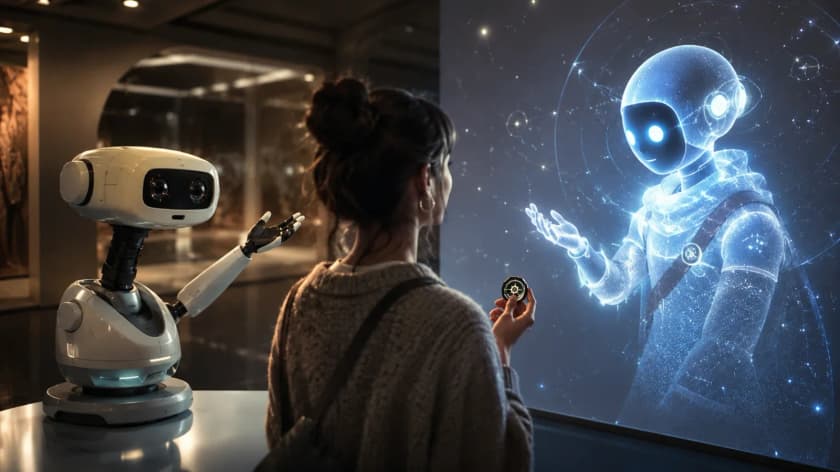
A visitor holds a small token up to a wall-sized screen where a glowing, star-filled character reaches out a hand, while a small white robot on a desk beside her gestures toward the same screen.
One story, two bodies: a character on a screen and a small robot, driven by the same engine.

What it does

  • Video understanding: films split into shots and indexed by captions, entities, events, dialogue, and narrative acts.
  • Semantic search across video, with answers that cite the exact time codes.
  • A typed story graph of scenes, beats, character arcs, conflicts, themes, and relationships. Every AI pass records where its facts came from and can be reverted.
  • Character identity grounding: the same character recognized across a whole film, with a persona and a voice for conversation.
  • Retrieval agents over the graph, orchestration of conversations among several characters, and interactive stories, generated arcs, and multi-video universes built on top.
  • A command-line tool and an MCP server, so agents can build and query stories without a user interface.

Spatial systems

Multiplayer, headsets, and room control

Spatial Venue keeps players in a shared session, with a Unity package connecting the game to the server. Our engine foundations support Unity and Unreal projects. DASP provides a common protocol for experience software and devices, including lighting, sound, and projection.

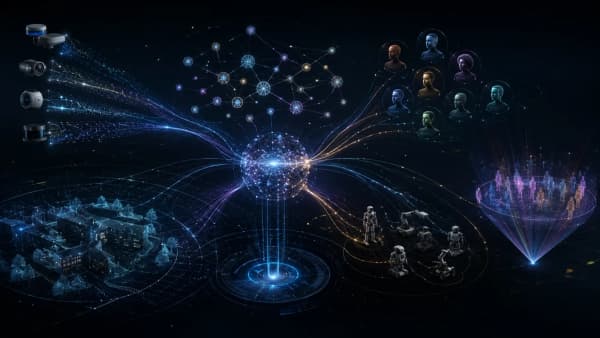
Streams from cameras, depth sensors, and lidar flow into a glowing hub, which connects to a story graph above, a wireframe building and trees, a group of small robots, a set of character portraits, and a ring of people in a venue.
Sensors, engines, characters, robots, and people on one protocol.

Capabilities

DASP

Open source

An open protocol that lets the parts of an experience (engines, headsets, story and AI services, show systems) tell each other what happened and what should happen next.

What it does

  • Messages for nodes, capabilities, events, intents, actions, state, and streams, with JSON Schemas for the envelope and core messages.
  • WebSocket transport, idempotent actions, and expiry checked before an action runs.
  • Spatial Venue speaks it as a node with 22 venue capabilities and validates every frame against the schemas.
  • Published as an open specification, so engines, headsets, and show systems can join the same experience.

Spatial runtime

Spatial Venue

A venue runtime that keeps the headsets in one room in a single shared session and gives floor staff a live status page and a command-line control tool.

What it does

  • Server-authoritative group sessions, streamed to each headset 30 times a second over UDP, with reconnects that put a dropped headset back in place.
  • Operator tooling: a live status page on the venue network and an operator guide served with it.
  • A DASP control socket with 22 venue capabilities. Every frame in and out is checked against the DASP schemas.
  • A command-line tool with JSON output, built for people and for LLM agents.
  • A Unity client package over a native library, and load tests that run 48 players across 8 sessions on about a tenth of a CPU core.
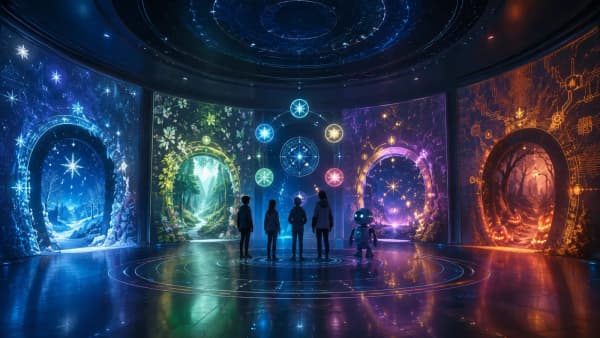
Four people and a small robot stand on a glowing floor in a round room whose walls show four portals, each a different world (a snowy forest, a green wood, a purple nebula, an autumn path with lanterns), under a ceiling of star charts.
A room run as one experience: walls, floor, ceiling, and a robot that all follow the same story.

Agent OS

Spatial OS

A hub that connects story and AI services, game engines, and room devices into one experience through DASP.

What it does

  • AI decides what should happen, local systems carry it out, and the results are the record.
  • A message router with capability discovery and fail-closed routing, so a node only receives what it declared it can handle.
  • A simulator seam for running an experience against fake devices before the real room.

Spatial runtime

XR foundation

Our Unity starting point for mixed-reality apps that run on Meta Quest 3 and Android XR headsets from one codebase.

What it does

  • Reusable packages for hands and controllers, floor placement that persists across launches, and held tools that survive fast swings.
  • Per-headset build profiles and verification gates, with an editor test suite.
  • A sample racquet-and-ball game against a real wall.

Spatial runtime

Spatial Unreal

Open source

An open-source Unreal Engine plugin for Unreal games and installations that take part in DASP experiences.

What it does

  • A plugin skeleton with two runtime modules that compiles on Unreal Engine 5.
  • Architecture and XR integration design documents: a DASP connection with entity and capability registries, idempotent actions, and event publishing.
  • A design for an installation layer (rooms, zones, sensors, projection) and an optional GameplayFramework adapter.

Spatial runtime

GameplayFramework

Open source

An open-source Unreal Engine plugin that gives a game a ready-made, multiplayer-safe base: abilities, inventory, equipment, AI enemies, saving, quests, and seeded procedural levels.

What it does

  • Data-driven abilities and attributes, and a server-authoritative inventory where every item keeps its own identity.
  • Equipment, item wear and repair, a hotbar and inventory UI, AI characters and spawning, saving, and quests.
  • Seeded procedural dungeon placement, verified with three players in multiplayer.
  • GlitchWalker and Collectors Edition are built on it. Apache-2.0.
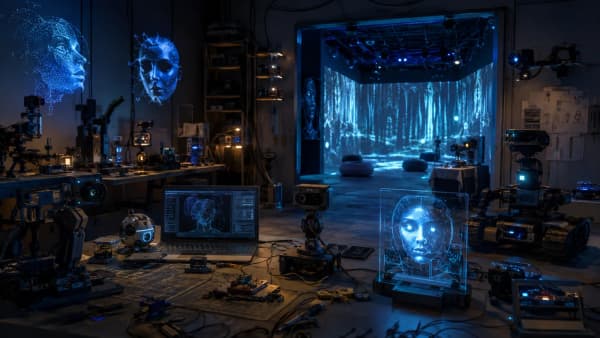
A workshop lit in blue, with cameras, small robots, a laptop showing a point-cloud head, a transparent panel with a glowing face, and a projection-mapped forest in a stage room beyond.
The hardware a room is made of: cameras, projection, robots, and the bench where they are built.

Venue systems

Venue devices

The hardware in the room, discovered and monitored by Spatial Venue: XR headsets, with lighting, audio, displays, and robots addressed as DASP device nodes.

What it does

  • Headset discovery on the venue network by UDP broadcast and mDNS.
  • Headset telemetry on the status page: battery, tracking, heartbeat, and frame rate.
  • DASP device nodes, so lighting, audio, displays, and robots can be driven the same way as headsets.

Web technologies

Web applications and agent tools

People use the forms; AI agents use defined tools for the same actions. Actions such as submitting an inquiry are flagged so the agent asks for confirmation first.

Applications

Agent-native web apps

Web apps whose real actions are open to AI agents as typed tools, so an agent can help a visitor without scraping the page.

What it does

  • Server-rendered apps in TypeScript, Vue, and Nuxt, with the site’s own actions registered as WebMCP tools through Agent Forge.
  • Inquiry pipelines with AI screening, routing, CRM sync, and a person’s approval before anything with consequences.
  • Agent City and Replay Room are public demos; The Rectangle site and this site are built the same way.

Agent systems

Agent workflows and approvals

Agent Forge is how an app tells agents what it can do. Atlas runs our own operations on the same rules. Agent City shows the work so a person can see and approve it.

Capabilities

Agent Forge

Open source

An open-source library that lets a web app offer its real actions to AI agents as safe, typed tools, with consequential actions flagged.

const requestCallback = defineCapability({
  id: 'request_callback',
  description: "Send the user's name and phone number to the business so it can call them back.",
  inputSchema: callbackSchema,
  effect: 'write',
  consequential: true,
  execute: (input) => api.requestCallback(input),
});
From the Agent Forge README: sending a person’s details to a business is a write, flagged as consequential so the agent asks first.

What it does

  • Define each operation once: a description, an input schema, an effect class (read, reversible write, write, irreversible write), and a consequential flag.
  • A WebMCP adapter registers each operation as a tool that an in-browser agent can call.
  • Availability checks, cancellation, and execution events that carry metadata only, never input values.
  • Used by Agent City, Replay Room, and the Rectangle site. Apache-2.0.

Agent OS

Atlas

Our own operations agents: they turn meeting notes and chat threads into decisions and tasks, and wait for a person before anything is sent outside.

Atlas runs our own studio operations. The patterns in it (policy checks, human approval, an audit log, and model budgets) are the ones we design into every agent system we build.

What it does

  • Five agents that turn meeting transcripts and Slack threads into decisions, action items, GitHub issues, and daily and weekly summaries.
  • Every tool call passes a policy check: reads are allowed, writes are limited per agent, and outbound or destructive actions wait for human approval in Slack.
  • A tamper-evident audit log of every call, stored in Postgres.
  • Per-agent model budgets, with provider fallback that ends at local models.
  • Runs on our own hardware, and is available to other agents as an MCP server.

Agent City

Follow a booking workflow in Agent City

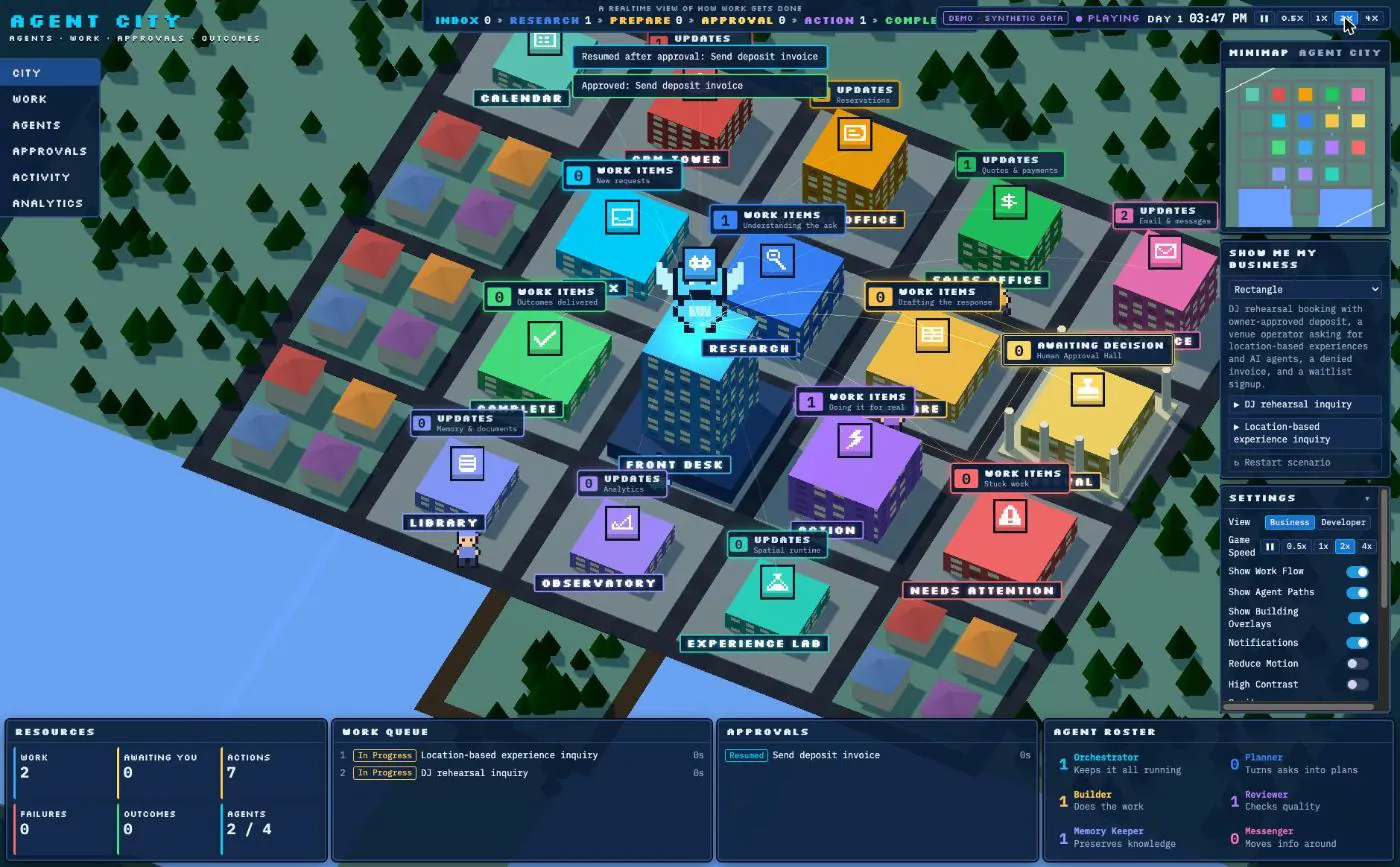
This scripted demo follows a sample rehearsal inquiry for The Rectangle from arrival to payment. Each district shows a stage of the workflow, including the approval needed before sending a deposit invoice.

Synthetic example data. Approvals in the public demo are scripted.

Agent City demo in its Rectangle scenario: an isometric 3D city with a colored building for each stage of work (Front Desk, Research, CRM Tower, Approval Hall). Toasts read “Approved: Send deposit invoice” and “Resumed after approval”, a “Demo · synthetic data” badge sits at the top, and panels below list the work queue, approvals, and agent roster.
The public demo, mid-scenario: the deposit invoice was approved and the agent has resumed.

Demo walkthrough

  1. Inquiry

    A rehearsal inquiry arrives from the website and lands at the Front Desk.

  2. Classify and route

    The Front Desk classifies the lead and hands it to the Booking Concierge, which checks availability.

  3. CRM sync

    A note goes into the CRM, and the CRM Tower shows the lead as synced.

  4. Approval request

    Sending a deposit invoice is consequential, so the agent stops and the Approval Hall asks for a decision.

  5. Approved and invoiced

    The approval is recorded, the agent resumes, and the invoice is sent.

  6. Paid and confirmed

    The payment arrives, the booking is confirmed on the calendar, and a confirmation email goes out.

Review progress and decisions

See what each agent has done, what is waiting for approval, and where a workflow stopped. The activity history helps you review decisions and trace problems afterwards.

Want this view of your own agents? Get in touch

What it does

  • Each district is a stage of work: inbox, research, prepare, approval, action, complete.
  • Consequential actions wait in an approval hall until a person decides.
  • Click an agent to see what it may do, what needs approval, and what it cannot do.
  • A privacy layer strips names, contact details, prompts, and secrets before anything is shown, and fails closed.
  • Agent Forge, DASP, and several agent runtimes feed one event model through adapters.
  • The public demo runs eight synthetic scenarios with scripted approvals.

Engineering

Engineering stack

Languages, engines, and techniques we use, with examples from the systems above.

  • Story and characters

    • Video understanding
    • Story graphs
    • Character intelligence
    • Video split into shots, indexed by what is seen and said, and searchable with time-coded answers.

      In Story Engine

    • Typed story graphs of scenes, beats, arcs, conflicts, and themes, where every AI pass is recorded and reversible.

      In Story Engine

    • Characters recognized across a film, and conversations among several characters driven by the story graph.

      In Story Engine

  • Engines and real-time

    • Unreal Engine
    • Unity
    • C++
    • Rust
    • GPU and rendering
    • Unreal C++ gameplay systems, verified with three players in multiplayer.

      In GameplayFramework

    • A Rust venue server that runs 48 players in 8 sessions with a 1.16 ms p99 tick, inside a 5 ms budget.

      In Spatial Venue

    • Real-time 3D in the browser, and Unity headset packages with shader prewarm and performance probes.

      In Agent City, XR foundation

  • Spatial and devices

    • Meta Quest
    • Android XR
    • Apple Vision Pro
    • Computer vision
    • Networking
    • One Unity codebase for Quest 3 and Android XR headsets: hands, controllers, and held tools that survive fast swings.

      In XR foundation

    • Content placed on the real floor that stays put across launches, built on the headset’s tracking and anchors.

      In XR foundation

    • Venue networking: 30 Hz state sync over UDP, headset discovery, and telemetry.

      In Spatial Venue, Venue devices

  • Agents and models

    • TypeScript
    • Python
    • AI SDK and AI Gateway
    • MCP and WebMCP
    • Evaluation
    • TypeScript tools that browser agents call over WebMCP, with effect classes and approval flags.

      In Agent Forge, Agent-native web apps

    • Python agents behind a policy gate: human approval for outbound actions, an audit log, per-agent model budgets, and an MCP server.

      In Atlas

    • Model calls through AI Gateway for inquiry screening, and eval runners that gate automatic actions on a golden set.

      In Agent-native web apps, Atlas

  • Cloud and data

    • AWS
    • Vercel
    • Postgres
    • Queues and scheduled jobs
    • Observability
    • Demos and sites deployed on Vercel, and AWS infrastructure as code (CDK).

      In Agent City, Agent-native web apps, Atlas

    • Postgres for agent memory and a tamper-evident audit log.

      In Atlas

    • Prometheus metrics and a live status feed from the venue server, and metadata-only execution events from Agent Forge.

      In Spatial Venue, Agent Forge

  • Simulation and synthetic data

    • Unreal Engine rendering
    • MetaHuman
    • SMPL-X
    • Synthetic scenarios
    • Simulated players
    • Multi-camera rendering of digital humans with ground-truth passes, retargeted motion capture, and cloud render farms.

    • Deterministic synthetic scenarios that play through the real adapters, for demos and tests.

      In Agent City

    • Simulated players that fill venue sessions without headsets.

      In Spatial Venue

Get in touch

What are you building?

Describe what it should do. You get a draft brief to review before anything is sent.