Systems & Research
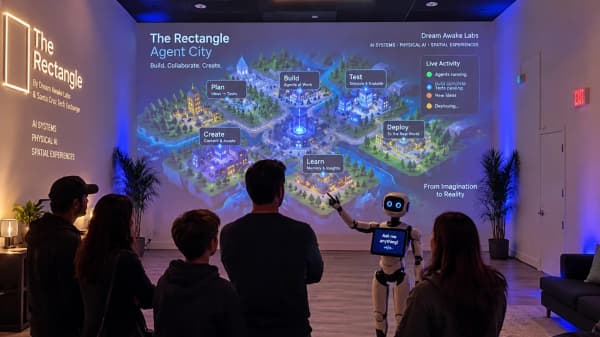
The Rectangle
A working creative space in Santa Cruz for DJ rehearsals, media production, and XR experiments, supported by an agent-ready booking website.
Agent-Ready Web Applications
When an AI agent uses a website it clicks through the interface or scrapes it. That breaks when the layout changes, and the business cannot tell a harmless lookup from an action that sends money or personal details.
For businesses whose website takes inquiries, bookings, or orders and who want AI agents to use it correctly, with a person in control of anything that has consequences.
Worked example
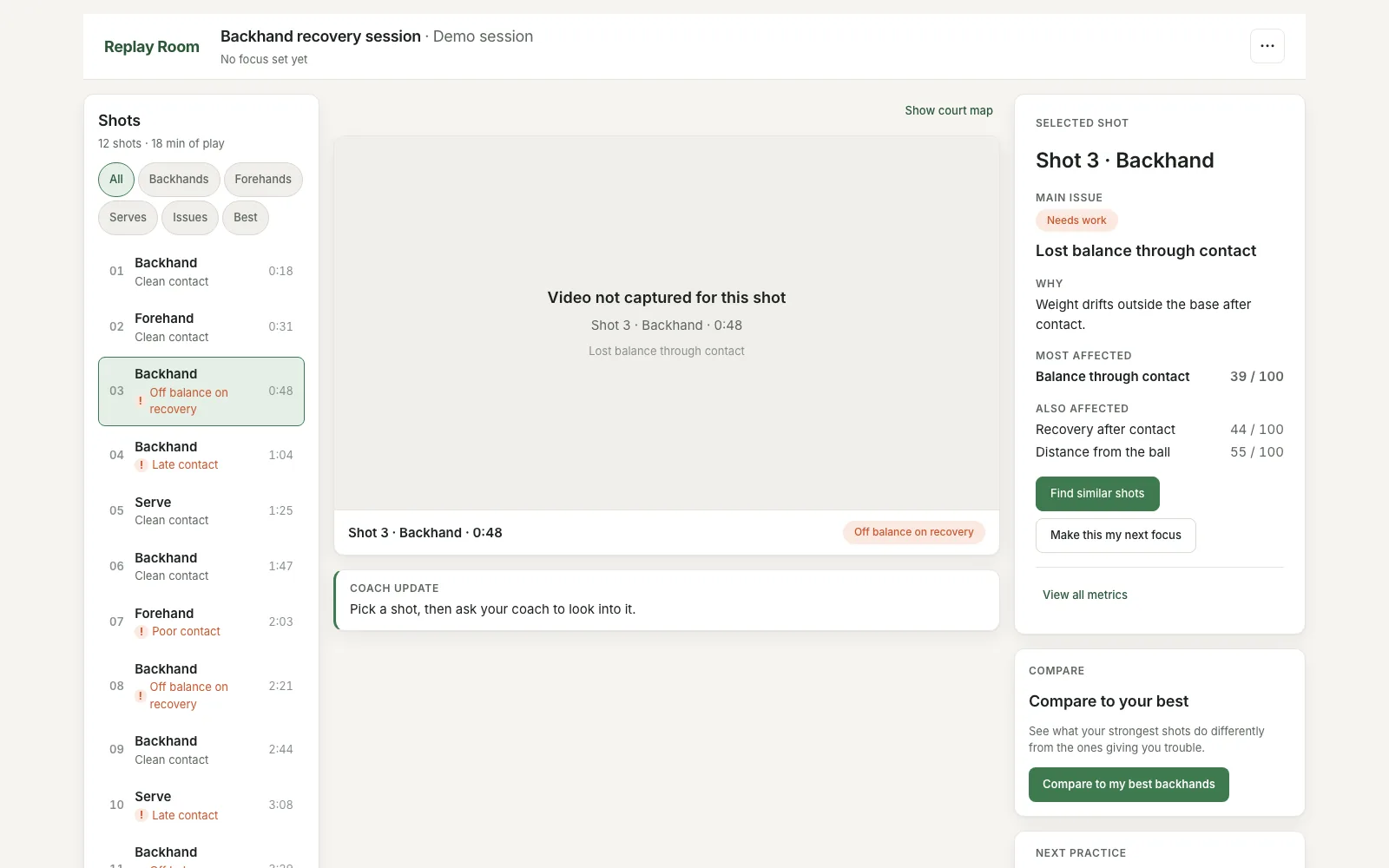
WebMCP Replay Room is a tennis replay workspace where a person and a browser agent review shots together. Six capabilities are defined once with Agent Forge, three read and three reversible-write, and registered as tools in the browser over WebMCP. Without WebMCP the app runs as an ordinary interactive demo.
A person selects a shot that feels wrong. The agent reads it, finds similar ones, puts them in the review rail, and compares them with stronger references. On request it writes the issue into the coaching plan. Every change is visible and reversible, and none of it clicks or scrapes the interface.
The same layer runs The Rectangle’s website and this one: each page registers its tools, consequential actions are flagged so an agent confirms with the user first, and Markdown alternates and llms.txt give agents the same facts people read.
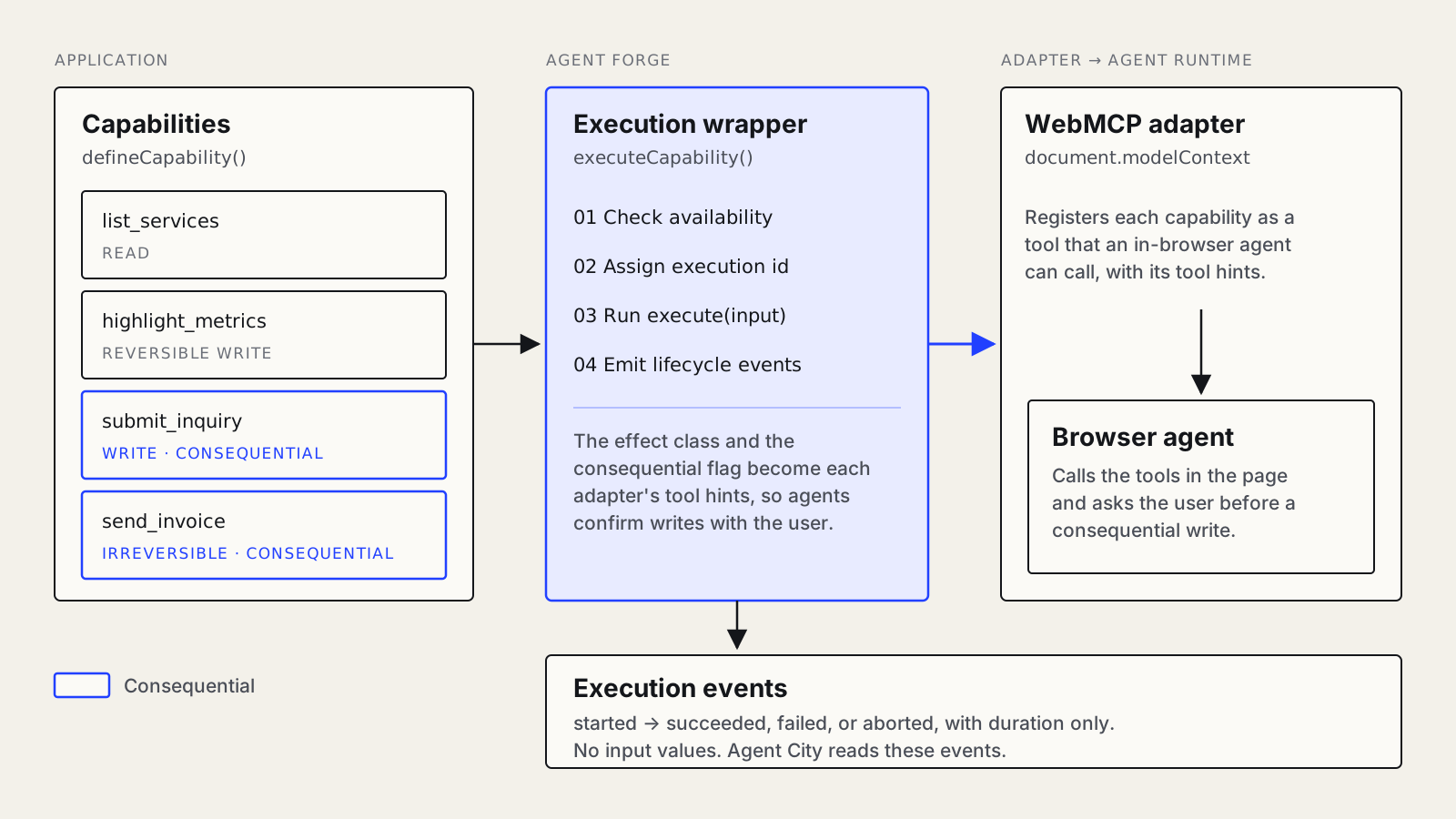
defines each operation once with a schema and an effect class and publishes it to browser agents through WebMCP.
are the server-rendered Nuxt apps the tools live in, fast without JavaScript and readable by crawlers and agents.
turns the execution events the tools emit into a view of what agents did, without logging what users typed.
Each operation defined once with a schema and an effect class, published to browser agents through WebMCP.
Actions that send money or personal details marked consequential, so an agent confirms with the user first.
TypeScript, Vue, and Nuxt apps backed by Postgres, fast without JavaScript and readable by crawlers and agents.
Markdown alternates, llms.txt, and structured data, so agents read the same facts as people.
AI screening, routing, CRM sync, and a person’s approval before anything is invoiced.
Metadata-only execution events, so you can see what agents did without logging what users typed.
Projects
Systems & Research
A working creative space in Santa Cruz for DJ rehearsals, media production, and XR experiments, supported by an agent-ready booking website.
Systems & Research
A tennis replay workspace where a person and a browser agent review shots together through six reversible Agent Forge capabilities.
Systems & Research
An open-source TypeScript library that lets a web app expose its real operations to AI agents as typed tools, each with a declared effect and a flag for consequential actions.
Where to start
We take one existing form or action on your site, define it as a typed tool with the right effect class, and add Markdown alternates for the pages agents read most.
Next step
Make your site agent-readyGet in touch
Describe it in a few sentences. You get a draft brief to review before anything is sent.